Document Management Software For Small Business
Discover the best document management software for small businesses. Learn how these tools help organize, store, share, and secure business documents efficiently.
Author
Staff Author
Published
October 16, 2026
Read Time
4 min read

Introduction
Small business document management software is a type of software that helps businesses to store, organize, track, and retrieve digital documents in a structured and secure way. These are alternative storage methods to various email threads, local folders, and disconnected cloud drives. The goal is to make business documents easier to find, easier to manage, and more difficult to lose. In practice, these systems tend to combine storage, collaboration, and workflow features. Some concentrate on basic file access; others move into approvals, audit trails, and contract workflows. The range is wide, but the common denominator is to improve control over business information.
These tools help small businesses by reducing operational friction. They also help keep things consistent when several people are working on the same documents.
Why do small businesses rely on document management systems?
Small companies frequently have fewer staff members and resources. As a business expands, manual document management may become time-consuming and ineffective. By consolidating files in one location and enabling search and accessibility for the appropriate individuals, document management systems address this issue. Additionally, they lessen the need for manual sharing techniques like email attachments, which frequently result in version control problems.
Common issues like these can be resolved with the aid of a document management system:
Losing crucial documents
Making duplicate documents
Looking through several folders
Handling paper records
Using lengthy email threads to share files
Maintaining out-of-date documents
Limiting who has access to private data
Employees can work more productively and find the information they need faster with the appropriate document management software. There are many different types o f small business document management software, ranging from basic cloud storage platforms to structured contract systems and document tools with a financial focus. The most complicated solutions aren't always the best ones. Rather, they strike a balance between control over business-critical documents like contracts, invoices, and internal records, as well as usability and integration.
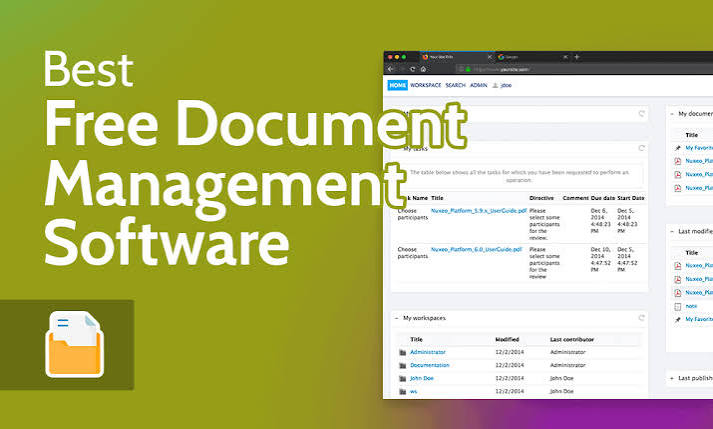
Best Document Management Software For Small Business
Best management tools that frequently show up in small business document workflows are listed in this section. Depending on their size, structure, and operational requirements, each one has a distinct function in assisting teams in managing documents more effectively.
Box
Box is a cloud-based content management platform designed for secure file storage and enterprise-grade collaboration. It's often a good fit for environments where governance and access control are important.
Box supports workflow automation and integrates with a wide range of third-party tools. It tends to work best in more controlled environments than in lightweight small-business setups.
Airtable
Airtable combines the familiar functionality of a spreadsheet with database-style organization, making it easy to manage structured data. Small businesses can use it to keep track of documents, projects, and operational records in a flexible way. It also supports automation and lets you view the same data in multiple ways. Airtable is best suited to structured data, rather than serving as a traditional document management system.
Google Drive
OneDrive supports file syncing, sharing, and collaboration across Word, Excel, and PowerPoint documents. It works well for general document storage, though it's less specialized for contract-focused or workflow-heavy needs.
Google Drive is a cloud-based storage and collaboration platform that is widely used by individuals and businesses. It allows users to store documents, spreadsheets, presentations, PDFs, images, and other files online.
One of Google Drive's biggest strengths is its integration with Google Workspace applications such as Google Docs, Google Sheets, and Google Slides. Multiple team members can collaborate on documents, leave comments, and make changes without constantly sending different file versions through email. Businesses can also organize files into folders and manage sharing permissions. Because documents are stored in the cloud, authorized employees can access them from different locations and devices. For small businesses looking for an affordable and easy-to-use solution for document storage and collaboration, Google Drive can be a strong option.


