Best CRM Software for Small Businesses in 2026
Discover the best CRM software for small businesses in 2026. Compare features, pricing, pros, cons,find the ideal CRM to grow your business.
Author
Admin
Published
July 7, 2026
Read Time
6 min read
Customer Relationship Management (CRM) software has become an essential tool for small businesses looking to organize customer data, improve sales performance, and deliver better customer service. In 2026, CRM platforms are more powerful than ever, offering artificial intelligence (AI), workflow automation, detailed analytics, and seamless integrations with popular business tools.
Choosing the right CRM can help your business increase productivity, strengthen customer relationships, and drive long-term growth. This guide explores the best CRM software for small businesses in 2026, highlighting their features, advantages, pricing considerations, and the types of businesses they serve best.
What Is CRM Software?
CRM software is a platform that helps businesses manage interactions with current and potential customers. It centralizes customer information, tracks communications, manages sales pipelines, automates repetitive tasks, and provides valuable insights into customer behavior.
Whether you operate a startup, an online store, a consulting agency, or a service-based business, a CRM can simplify daily operations and improve customer satisfaction.
Why Small Businesses Need a CRM
Many small businesses begin by managing customer information through spreadsheets or handwritten notes. As the business grows, this approach becomes difficult to maintain.
A CRM helps by:
Organizing customer information in one place
Tracking leads and sales opportunities
Automating follow-up emails and reminders
Improving team collaboration
Monitoring sales performance
Creating detailed reports and forecasts
Enhancing customer support
By reducing manual work, business owners can spend more time focusing on growth.
Top CRM Software for Small Businesses in 2026
1. HubSpot CRM
HubSpot CRM remains one of the most popular choices for small businesses because of its generous free plan and user-friendly interface.
Key Features
Free CRM with essential sales tools
Contact and deal management
Email tracking and templates
Live chat and chatbot features
Marketing automation
AI-powered content and sales assistance
Extensive app integrations
Pros
Easy to learn
Excellent free version
Scales as your business grows
Strong marketing tools
Cons
Advanced features require higher-tier plans
Premium plans can become expensive
Best For
Startups, freelancers, and growing businesses looking for an all-in-one CRM solution.
2. Zoho CRM
Zoho CRM is well-known for its affordability and extensive customization options. It is an excellent choice for businesses that want advanced features without paying enterprise-level prices.
Key Features
Lead and contact management
Workflow automation
AI sales assistant
Sales forecasting
Email marketing integration
Mobile application
Multi-channel communication
Pros
Competitive pricing
Highly customizable
Strong automation capabilities
Suitable for businesses of all sizes
Cons
Initial setup may require time
Interface has a learning curve
Best For
Small businesses planning long-term growth.
3. Salesforce Starter Suite
Salesforce continues to lead the CRM industry, and its Starter Suite offers powerful capabilities tailored for smaller organizations.
Key Features
Contact management
Opportunity tracking
Sales automation
Customer support tools
Reporting dashboards
AI-powered insights
Third-party integrations
Pros
Highly scalable
Excellent reporting
Large integration ecosystem
Enterprise-grade reliability
Cons
Higher pricing than many competitors
Requires time to master
Best For
Growing businesses expecting rapid expansion.
4. Pipedrive
Pipedrive is designed with sales teams in mind. Its visual sales pipeline makes it easy to track deals and monitor progress.
Key Features
Drag-and-drop sales pipeline
Deal tracking
Sales forecasting
Workflow automation
Email synchronization
Activity reminders
AI sales recommendations
Pros
Simple interface
Excellent pipeline management
Easy implementation
Strong automation tools
Cons
Limited marketing features
Customer support tools are less comprehensive
Best For
Sales-focused small businesses.
5. Freshsales
Freshsales combines CRM capabilities with built-in communication tools, making it a practical solution for businesses that frequently interact with customers.
Key Features
Contact management
Built-in phone system
Email tracking
AI lead scoring
Sales automation
Custom reports
Mobile CRM
Pros
User-friendly
Built-in calling functionality
Affordable pricing
Good automation features
Cons
Fewer integrations than some competitors
Advanced reports require premium plans
Best For
Service businesses and customer support teams.
6. Monday CRM
Monday CRM builds upon the popular project management platform, offering businesses a flexible system for managing customers and sales.
Key Features
Visual workflows
Sales pipeline tracking
Email integrations
Task automation
Team collaboration
Dashboard reporting
Custom workflows
Pros
Highly visual interface
Flexible customization
Excellent collaboration features
Easy automation setup
Cons
Limited CRM features on entry-level plans
Can become expensive for larger teams
Best For
Businesses that combine project management with sales.
7. Insightly
Insightly combines CRM and project management into one platform, making it ideal for service providers managing ongoing client relationships.
Key Features
Lead management
Opportunity tracking
Project management
Workflow automation
Email marketing
Reporting dashboards
Mobile access
Pros
Excellent project tracking
Easy-to-use interface
Good customization options
Cons
Limited features in lower-priced plans
Advanced reporting requires upgrades
Best For
Consultants, agencies, and professional service firms.
Features to Look for in a CRM
Before selecting CRM software, consider the following features:
Ease of Use
Choose software with an intuitive interface that your team can learn quickly.
Automation
Automation reduces repetitive tasks such as follow-up emails, reminders, and lead assignments.
AI Capabilities
Modern CRMs increasingly use AI to predict customer behavior, recommend actions, summarize conversations, and improve sales forecasting.
Integrations
Ensure the CRM integrates with your existing tools, including email platforms, accounting software, marketing tools, and communication apps.
Mobile Access
A mobile app allows your sales team to access customer information while traveling or meeting clients.
Reporting and Analytics
Detailed dashboards help business owners monitor sales performance, identify trends, and make informed decisions.
Security
Look for features such as role-based permissions, data encryption, multi-factor authentication, and regular backups.
How to Choose the Right CRM
The best CRM depends on your business goals, team size, and budget.
Consider these questions:
How many employees will use the CRM?
What is your monthly budget?
Do you need marketing automation?
Is customer support a priority?
Will your business expand over the next few years?
Which existing software must the CRM integrate with?
Testing free trials before making a purchase is one of the best ways to evaluate usability.
CRM Pricing
CRM software pricing varies depending on features and the number of users.
Typical pricing models include:
Free plans with limited features
Monthly subscription per user
Annual billing discounts
Enterprise pricing for larger organizations
Small businesses should compare both current needs and future scalability before choosing a plan.
Benefits of Using CRM Software
Businesses that successfully implement CRM software often experience:
Better customer relationships
Higher sales conversion rates
Improved employee productivity
Faster response times
More organized customer data
Increased customer retention
Better forecasting and reporting
Greater operational efficiency
These benefits can contribute to sustainable business growth over time.
FAQ's
How to choose the best CRM for small businesses in 2026?
Choose a CRM based on your budget, business size, ease of use, automation features, integrations, and future scalability.
What's the best CRM software for a small business?
HubSpot CRM is widely considered one of the best options for small businesses due to its free plan, ease of use, and powerful features.
Is HubSpot the best CRM for small businesses?
HubSpot is an excellent choice for many small businesses, especially startups, but the best CRM depends on your specific needs and budget.
Which CRM solutions offer the best value for small businesses?
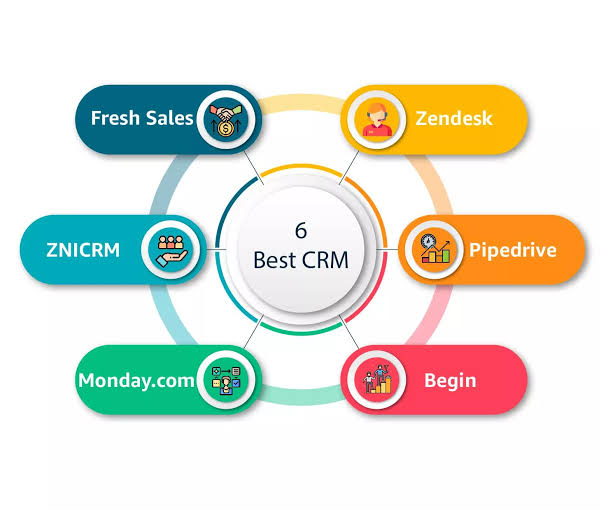
HubSpot CRM, Zoho CRM, Pipedrive, Freshsales, and Monday CRM offer some of the best value by balancing features, affordability, and scalability.
Final Thoughts
The best CRM software for small businesses in 2026 depends on your company's size, budget, and operational needs. HubSpot CRM is an excellent choice for businesses seeking a free and user-friendly platform, while Zoho CRM offers strong customization and value. Salesforce Starter Suite provides enterprise-level capabilities for growing companies, Pipedrive excels in sales pipeline management, Freshsales delivers robust communication tools, Monday CRM combines sales with collaboration, and Insightly is well-suited for service-based businesses.
Before making a decision, compare features, pricing, integrations, and scalability. Taking advantage of free trials and demos can help you identify the CRM that best supports your business goals. With the right solution in place, your business will be better equipped to manage customer relationships, improve efficiency, and grow successfully throughout 2026 and beyond.


